AutoSlide
Android Auto-Slide App [AutoSlide]




| 简体中文 | English |
An Android auto-slide tool for automated testing and content browsing
Features
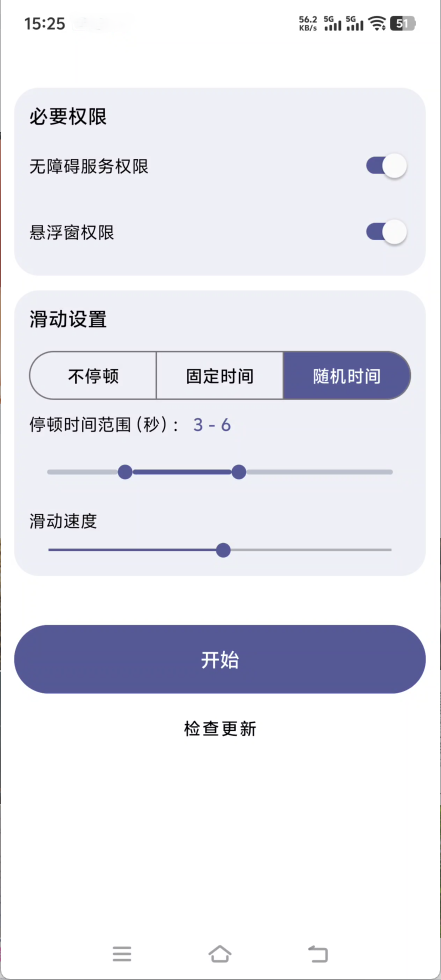
- Pause Modes: Offers three modes ⌈No Pause / Fixed Time / Random Time⌋
- Slide Speed: Multiple speed levels with a smooth gesture duration curve
- Slide Direction: Supports up down left and right
- Custom Trajectory: Long-press a direction button to record the swipe path for that direction and replay it during auto slide
- Panel Transparency: Stepless adjustment and real-time preview of the floating window panel transparency
- Floating Window Control: Start or stop via the floating ball with auto collapse while running
- Quick Settings Tile: Toggle the floating window service from system quick settings
- Safe Stop: Supports volume key force stop and auto stop on screen off
- Permission Management: Enable accessibility via ⌈Manual / Shizuku / ADB⌋
Screenshots
Quick Start
Prerequisites
- Android 8.0 or higher
Installation
- Download the latest APK file from the Releases Page
- Open the downloaded APK file and follow the on-screen instructions to install the application
- Launch the app and grant the necessary permissions for proper functionality
Contributing
Issues and pull requests are welcome
License
This project is licensed under the Apache License 2.0